
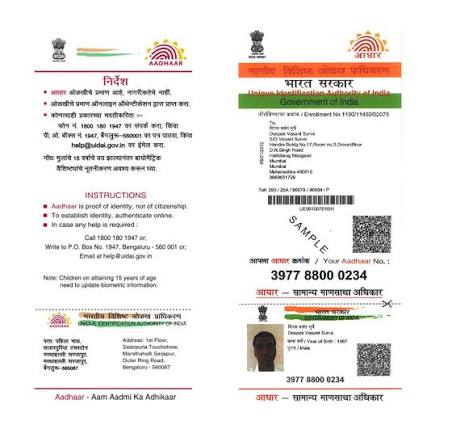
Aadhar card is 12-digit unique identification number which provide by the indian government for his country members. It serves as a centralized, biometric-based proof, of identity and address across the country.
it’s official government website to check updates is UIDAI [Unique Identification Authority of India].
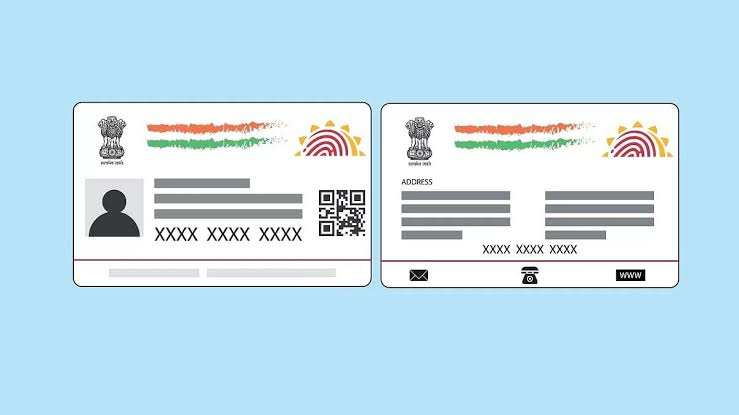
my aadhar comes from [ MERE PEHCHAN MERA AADHAR]
Aadhar card check
we will check aadhar card online by official government website and many by which we can aadhar card check. it is best way by which peoples are easily check there aadhar card to at his /her living place, no need to go outside the place for aadhar card check. it is whole transparency government system.
e-aadhar card download app
step-by-step guidance guide to download e-aadhar inside the app
before the process start, you make sure your mobile no. is link with aadhar card to receive the required OTP.
Install and Set Up: Open the mAadhaar app. Select your preferred language and create a personal 4-digit security PIN. Locate Download Option: Tap on “Download Aadhaar” on the home dashboard. Select Your ID Type: Choose how you want to download it:
- Aadhaar Number (12 digits)
- Virtual ID (VID)
- Enrolment ID (EID)
Enter Details & Captcha: Type in your chosen ID number along with the security Captcha code displayed on the screen. Verify with OTP: Tap “Request OTP”. Enter the unique password received on your registered mobile number. Access the Document: Click “Verify and Download” to save your digital e-Aadhaar card as a secure PDF file on your phone.
Important: How to Open the e-Aadhaar PDF
The downloaded PDF file is password-protected to safeguard your security. The password is exactly 8 characters long and follows this format:
- First 4 Letters: The first four letters of your name in CAPITAL letters.
- Last 4 Digits: Your Year of Birth (YYYY).
- Example: If your name is SURESH KUMAR and your birth year is 1990, your password will be SURE1990.
Watch this step-by-step visual guide from UIDAI to understand the full features and layout of the official mAadhaar application:
How we will do aadhar card address change?
We can update our Aadhar card address online by the offcial UIDAI myAadhar portral or the mAadhar app.
step-by steps given below for the online updating your Aadhar card address
- Update using proof of address [POA]
Use this method when you have valid proof of address document in your name [eg., Passport, Reant Agreement, Utility Bill, or Banking Statement].
- open to the UIDAI myAadhar Portal and enter to login.
- enter your 12-digit aadhar number, enter the captcha and choose sent to OTP.
- enter the OTP which you gain on your aadhar registered mobile number.
- Below the services tab, select Address Update.
- Click update aadhar online, then select address and click proceed to update aadhar.
- Provide the new address correctly as per supporting document.
- Choose your valid supporting document type from the dropdown list and provide a clear, colored scanned copy of the document.
- Proceed to payment and pay, make sure this payment [ update fee of Rs.75 is non refundable].
- Save the generated Service Request Number[SRN] to track your Address.
2. Update Without Proof Of address [Via Family Member]
if you have no formal address in your own name [e.g., dependents, students, or newly married individuals], you may use to permission Head of Family [HOF] method
- Go to the UIDAI my aadhar portal, login and choose address update.
- Choose the family member based address update tab.
- provide your relative’s/HoF’s Aadhar number and choose your relationship with them.
- provide a proof of relationship [POR] document, like as a Ration Card, Marriage Cerificate, or Passport.
- paid the rs.75 fee.
- A SMS will be sent on the HoF. They must be login into the portal, approve the request, and authenticate by using your own OTP.
Tracking and Processing Time
- Processing Duration: Aadhar card address update hardly take between 30-90 days after successful submission and document verification.
- Tracking: We can check the progress of our application anytime at the bottom of the UIDAI myAadhar Portal by using the SRN given.
Pan aadhaar link status / aadhar PAN Card link
for check our PAN-Aadhar link status / aadhar PAN card link, go through the official website Income Tax e-filing Portal and navigate to the dedicated Link aadhar status page.
Method 1: Check online Without Login
- Open the Income tax Department Link Aadhar Status page.
- provide your 10-digit alphanumeric PAN number.
- choose on the ‘View Link Aadhar Status”
Method 2. Check Via SMS
We have permission to verify our status instantly by sending an SMS from our aadhar card registered mobile number;
- Format: write UIDPAN <12-digit aadhar> <10-character PAN>
- Send to : 567678 or 56161.
Understanding our status outcome
- ” Our PAN is already linked to given aadhar“: no action required further. Our PAN is operative and fully workable.
- “PAN not connect with Aadhar”: Our PAN has likewise beacome inoperative. We must paid a penalty charge of Rs.1000 to the Income Tax portal via the “e-pay Tax” feature to submit a connecting request and reactivate it.
- “Connecting in Progress”: the request is now send to the UIDAI for validation. it hardly take 7-10 workable days to complete this process.
aadhar card download
for aadhar Card Download [e- aadhar] , open the official website UIDAI my Aadhar portal and completed the steps like OTP verification using your registered mobile number. By this we can easily download our aadhar card.

Great job. I highly obliged for you